Knit Away
PixOn GamesPuzzle
4.81.16K Reviews
- Version
- 3.1.11
- Installs
- 1.00M
- Age Rating
- Everyone
Screenshots
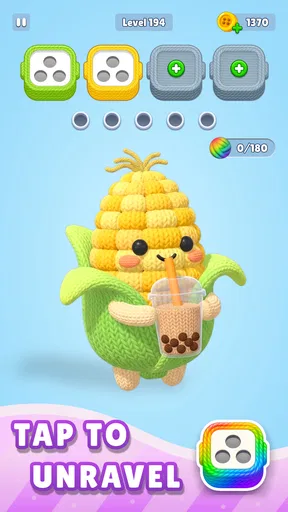
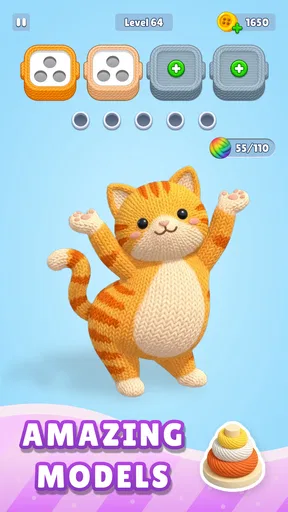
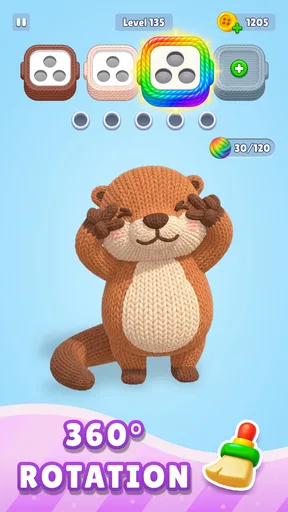
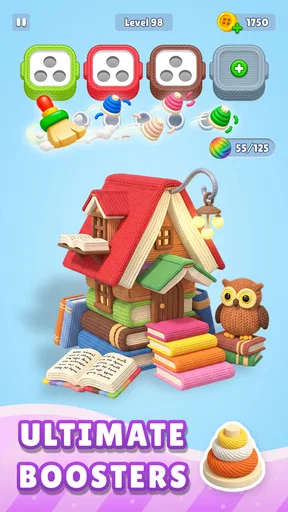
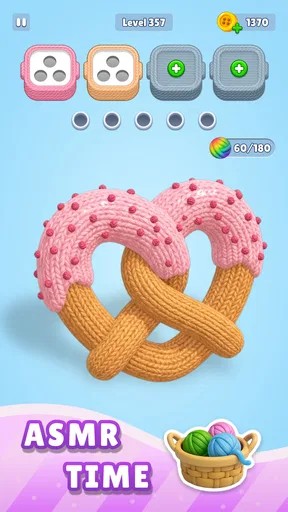
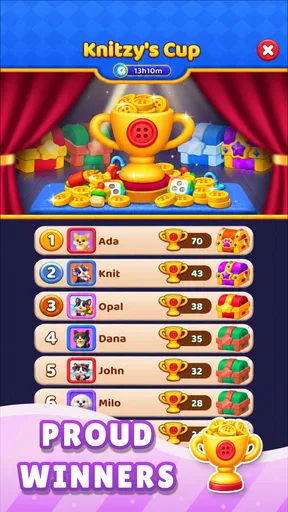
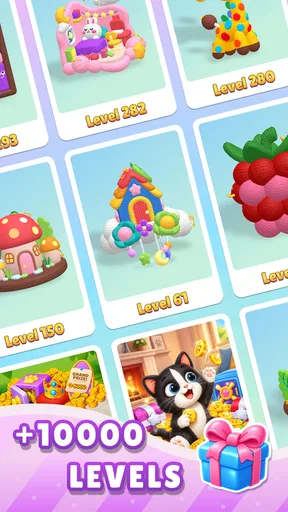
Our Review of Knit Away
 Analysis by Appyee
I judge a puzzle game less by how colorful it looks than by whether I want to return to it after a busy day. Knit Away is built around a gentle, knitting-inspired idea, and that gives its puzzles a softer mood than the usual speed-focused mobile challenge. I see the appeal: it is a small, contained activity for a break, not a game that asks me to plan a long session or learn a complicated world before I can begin.
That calm approach is also a useful way to decide whether it suits you. If you enjoy sorting, matching, and working through visual puzzles at your own pace, the theme may make the routine feel more relaxing. If what you want is a demanding logic game, a competitive leaderboard, or a deep story, I would look elsewhere. Knit Away’s strongest promise is an easygoing puzzle mood, and it is best approached on those terms.
A simple routine for picking it up
For a short session, I would open the game with one modest goal: solve a puzzle or two, then stop when the break is over. That sounds obvious, but it helps keep a calm game calm. On a commute, while waiting for an appointment, or during a quiet pause at home, a small puzzle can fill a few minutes without turning the moment into another task to manage.
I also find it useful to notice how I feel after a level rather than chasing an arbitrary streak. If I am enjoying the visual problem-solving, I can continue; if I start tapping through without thinking, it is a good point to put the phone down. That kind of self-set stopping rule is more practical than treating every casual game as something that needs a daily commitment.
Settings and expectations to check
Before settling into a longer session, I would check the game’s available settings on your device and adjust anything that affects comfort, such as sound or visual presentation, if those controls are offered. I would not assume every puzzle game has the same options. The practical point is to make the experience fit the place you are playing: a quieter setup can be more considerate in a waiting room, while a familiar, uncluttered screen makes it easier to focus at home.
The game is free to download, with optional in-app purchases listed from $0.99 to $99.99 per item, so I would also decide in advance whether I am happy to play without spending. A free starting point is convenient, but a broad purchase range makes it worth checking each prompt before confirming anything, especially if a child is using the device. The Everyone age rating makes the game broadly accessible; it does not replace sensible purchase controls.
What the knitting theme changes
The knitting identity gives the puzzle presentation a distinct, cozy frame, but I would separate that atmosphere from the actual challenge. A soothing look does not automatically mean every move is effortless, and a puzzle that seems straightforward at first can still call for patience. I like that contrast in principle: relaxed presentation can make it easier to settle in without requiring the game to become a race.
Compared with match-three games, which often emphasize chains, boosters, and brisk rounds, or classic number puzzles, which lean on deduction and a more abstract grid, Knit Away offers a different sort of visual break. That makes it a better fit when I want a themed, low-pressure puzzle than when I want to sharpen a specific logic technique. It is also less suitable for someone who wants a large collection of puzzle modes; I would choose a broader puzzle app for variety across several styles.
Getting Started with Knit Away
First things first, downloading and setting up Knit Away was a breeze. Available for both Android and iOS, the app is quick to install, and the interface is as welcoming as a cozy knit blanket. Once you open it, you're greeted with a clean, intuitive design that even a beginner could navigate without a hitch.
Key Features to Explore
What really caught my attention was the array of features packed into this little app. It's like having a personal knitting assistant right in your pocket. Here's a rundown of the ones I found most useful:
- Pattern Library: The app offers a vast collection of patterns, from simple scarves to complex sweaters. Whether you're a newbie or a seasoned pro, there's something for everyone. You can even filter by skill level, yarn type, or project size.
- Project Planner: This feature is a game-changer. You can organize your projects, set reminders, and even track your progress. No more forgotten projects hiding in the depths of your knitting basket!
- Yarn Stash Manager: If you're like me and have yarn in every nook and cranny, you'll love this. You can catalog your yarn stash with details like weight, color, and yardage. It's a lifesaver when you're planning a new project.
- Community Hub: Knitting is as much about community as it is about crafting. The app includes a vibrant community section where you can share your projects, get advice, and even participate in challenges.
My Personal Experience
Diving into the app, I was pleasantly surprised by how user-friendly it was. The Pattern Library quickly became my go-to for inspiration. I tried out a couple of patterns, and the step-by-step instructions were clear and easy to follow. The Project Planner helped me stay organized, and I found myself finishing projects faster than usual.
The Yarn Stash Manager was a revelation. I discovered yarn I'd forgotten about and even saved money by using what I already had. Plus, the satisfaction of seeing my stash neatly cataloged was oddly rewarding.
The Community Hub was an unexpected gem. I connected with fellow knitters from around the world, shared my creations, and even picked up a few tips and tricks along the way. It felt like being part of a global knitting circle, right from my living room.
Working through puzzles with a repeatable habit
For a more deliberate session, I would use the same small routine each time: settle somewhere comfortable, decide how long I have, and give the puzzle my attention rather than trying to play while handling several other things. That is especially useful for a tactile-looking game, where quick, distracted taps can make a calm activity feel needlessly frustrating. A short pause to look at the board before acting can be more rewarding than rushing through the first move that seems plausible.
There is also a practical difference between playing to relax and playing to improve. When I want a mental breather, I keep the pace light and do not treat a difficult moment as a failure. When I want more of a challenge, I slow down and consider alternatives before committing. The second approach makes the puzzle feel more intentional, but it is not always what I want from a five-minute break. Choosing the mode of attention to match the moment is a useful way to get more from a simple game without inventing extra goals for it.
Who will enjoy it, and who may not
I would point casual puzzle fans toward Knit Away if they like a friendly theme and want something they can pick up without a major time commitment. It may also suit someone who finds the colder look of grids and number tiles uninviting but still enjoys solving visual problems. The knitting-inspired presentation gives the experience a recognizable character, which can make a familiar puzzle format feel more approachable.
On the other hand, I would skip it if I mainly want intense competition, a narrative campaign, or a steady stream of unrelated puzzle types. People who prefer games that reward rapid reactions may also find a calm, thoughtful pace less engaging. And although the age rating is Everyone, parents should still consider purchase settings on the device: an age label and control over spending are separate things.
Small trade-offs that matter in everyday play
A themed puzzle can be more relaxing than a visually busy alternative, but the same focus can also feel repetitive if you want constant novelty. I would treat Knit Away as a dependable option for a particular mood rather than a complete replacement for every puzzle game on my phone. Keeping a more demanding logic title or a varied puzzle collection alongside it makes sense if my tastes change from day to day.
For an ordinary evening, I might open it while waiting for tea to steep, play until I have solved a satisfying puzzle, and then return to whatever I was doing. That is a better use case than expecting it to occupy an entire night. In short sessions, the game can sit neatly between doing nothing and committing to a longer game; if a puzzle starts to feel like work, leaving it unfinished is a perfectly reasonable choice.
Version, availability, and value
PixOn Games develops the puzzle game, which is currently at version 2.3.3 and requires Android 6.0 or later. Its average rating is 4.8 from around 27,000 ratings, and it has more than a million installs. Those figures suggest that plenty of players have found an audience for its approach, but they cannot tell me whether its particular pace and presentation will suit you; your own preference for gentle puzzles matters more.
Because the download is free, it is easy to try without making an upfront commitment. I would still think of the optional purchases as a separate decision rather than part of the basic appeal. If you are comfortable enjoying a casual game without buying extras, the entry point is straightforward. If you tend to make purchases impulsively, setting a device-level limit before playing is the more sensible habit.
Questions worth settling before you play
One natural question is whether this is a knitting tool or a game. It is a puzzle game, not a practical guide for planning real knitting projects, so I would not install it to manage yarn, find craft patterns, or track a sweater in progress. The theme may appeal to knitters, but the use is entertainment rather than craft organization.
Another question is whether it is suitable for a quick break. That is exactly how I would approach it: open it when you have a little spare attention, play at a comfortable pace, and stop when you are ready. If you want a game that depends on head-to-head competition or elaborate progression, a different puzzle title is likely a better match. The right choice depends less on the knitting theme itself than on whether you enjoy its kind of relaxed visual challenge.
Final Thoughts
Overall, Knit Away is an app that truly enhances the knitting experience. It's not just about the features; it's about how seamlessly it integrates into your knitting life. Whether you're organizing your stash, finding your next project, or connecting with other knitters, this app has something to offer.
So, if you're a knitting enthusiast looking to elevate your craft, I highly recommend giving Knit Away a try. Who knows, it might just knit its way into your heart, just like it did mine. Happy knitting!
Verdict
Strengths of Knit Away
- User-friendly interface for all skill levels.
- Extensive library of patterns available.
- Offline access for pattern viewing.
- Regular updates with new features.
- Community forum for sharing tips.
Limitations of Knit Away
- Limited free patterns available.
- Requires account for full access.
- Occasional app freezes reported.
- No support for left-handed users.
- In-app purchases can be pricey.
Other Releases by PixOn Games
View All
Screw Land 3D
Puzzle4.8
Similar Picks in This Category
View All
Block Blast!
HungryStudio4.8

Braindom: Brain Games Test
Lahana Game Studio4.6

AMAZE!
CrazyLabs LTD4.6

Sudoku - Classic Sudoku Puzzle
Oakever Games4.7

Art Puzzle - Puzzle Games
Easybrain4.8

Amaze GO!
Oakever Games4.9
Frequently Asked Questions
What is Knit Away and how does it work?
Knit Away is a comprehensive app designed for knitting enthusiasts, offering a variety of tools to enhance your knitting projects. It includes pattern libraries, tutorials, and a digital knitting journal. Users can track their progress, create custom patterns, and connect with a community of knitters. It’s available on both Android and iOS platforms.
Is Knit Away suitable for beginners?
Absolutely! Knit Away offers a range of tutorials and beginner-friendly patterns to help newcomers get started. The app includes step-by-step guides and video tutorials that cover basic techniques, making it an excellent resource for those new to knitting. Advanced features are also available for more experienced users.
Does Knit Away require an internet connection?
While Knit Away does offer offline functionality, certain features such as community interactions, pattern downloads, and updates require an internet connection. However, once patterns are downloaded or saved, they can be accessed offline, allowing users to knit anywhere without needing constant connectivity.
Are there any costs associated with using Knit Away?
Knit Away is free to download, offering a variety of free patterns and basic features. However, there are optional in-app purchases for premium patterns, advanced tools, and ad-free experiences. These purchases are entirely optional and designed to enhance the app’s functionality for dedicated knitters.
How does Knit Away support pattern customization?
Knit Away provides a robust pattern editor allowing users to modify existing patterns or create new ones from scratch. This feature supports various customization options such as stitch type, color, and size adjustments. It’s a powerful tool for those looking to add a personal touch to their knitting projects.
Play our best games!


